> ## Documentation Index
> Fetch the complete documentation index at: https://docs.yasmina.ai/llms.txt
> Use this file to discover all available pages before exploring further.
# Authentication
To access any of our API's. You need to authorize yourself using the Generate Token API. We are using the standard OAuth 2.0 client credentials.
The Generate Token API requires your a Client ID and Client Secret. You can can head over to API Management to retrieve them.
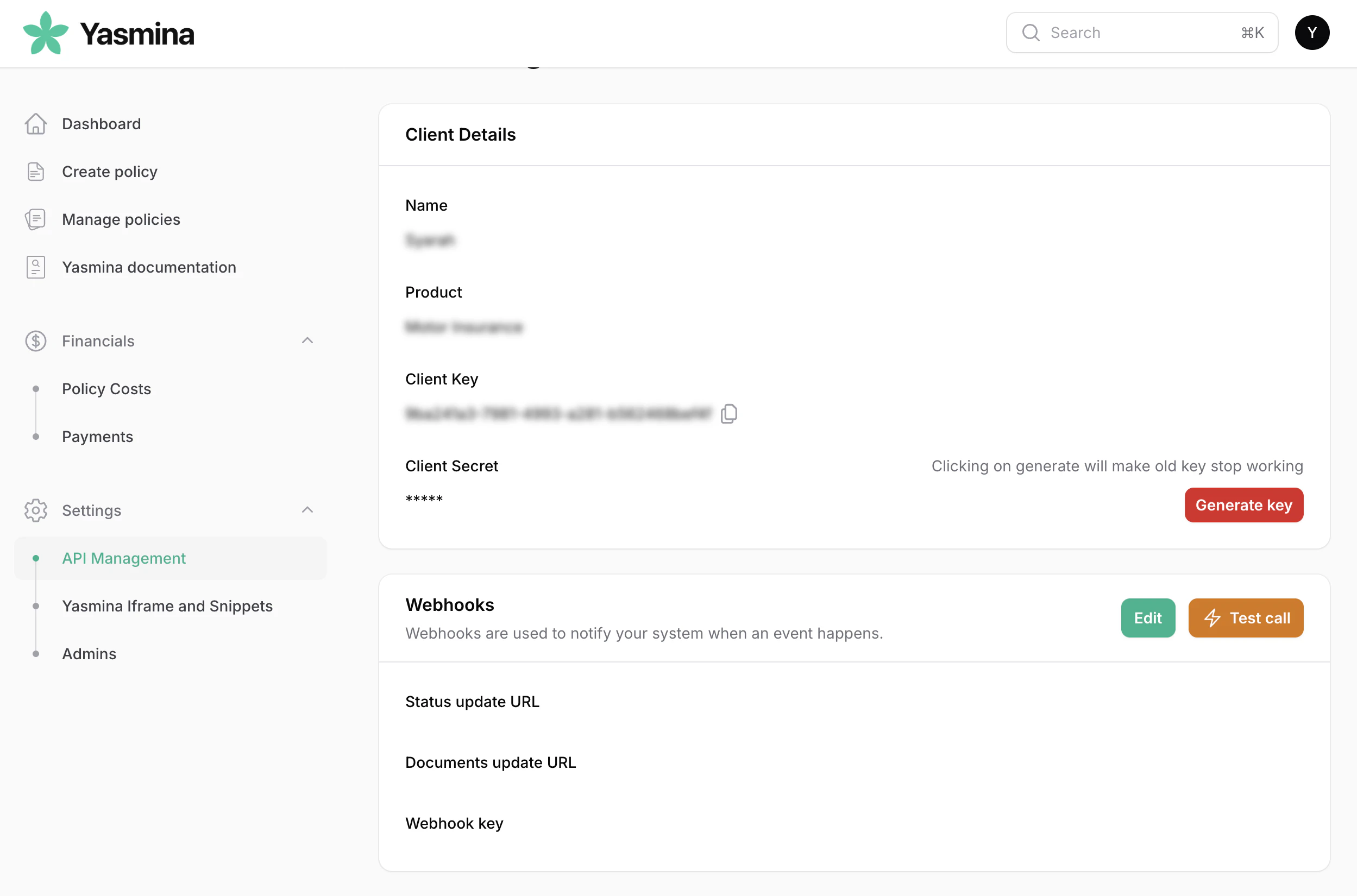 In this page you can Generate a new client secret. Copy both the Client ID and Client Secret.
Now you can get a secure JWT token from the
Generate Token API
When you generate a new client secret the old one will be invalid, so use the Generate button with care.
In this page you can Generate a new client secret. Copy both the Client ID and Client Secret.
Now you can get a secure JWT token from the
Generate Token API
When you generate a new client secret the old one will be invalid, so use the Generate button with care.