> ## Documentation Index
> Fetch the complete documentation index at: https://docs.yasmina.ai/llms.txt
> Use this file to discover all available pages before exploring further.

# HTML Snippets

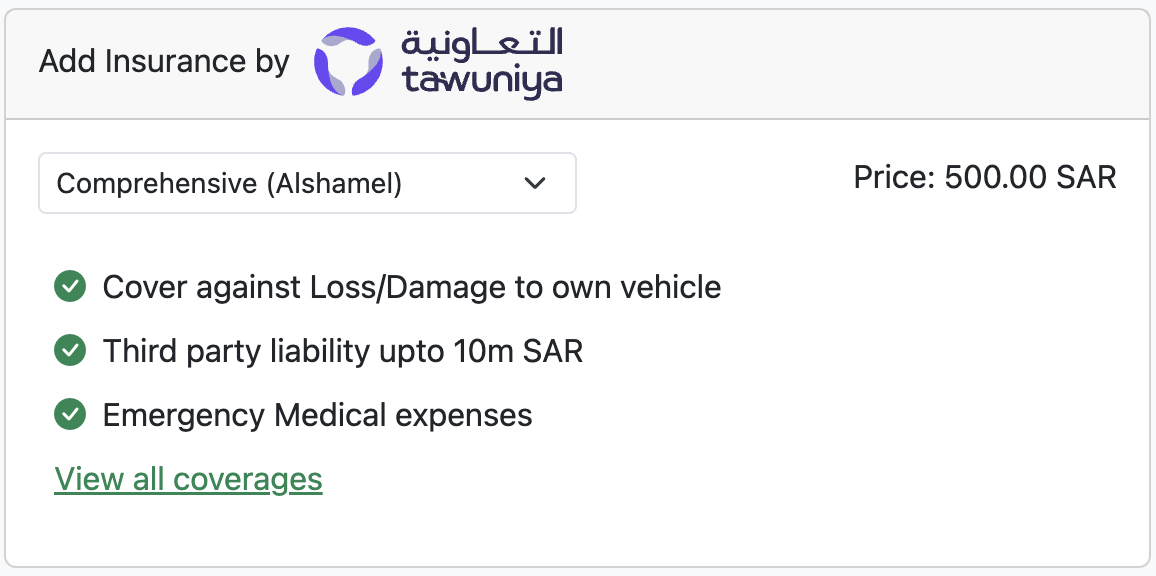
Yasmina provides ready-to-use HTML Snippets built with Bootstrap 5 (more will be added) to help you quickly add insurance products to your website.

These snippets are designed to accelerate your front-end development process by giving you a fully responsive and styled UI out of the box.

We currently have it available for Motor Insurance.

<img src="https://mintcdn.com/yasmina/JBmjU6a0nW2v_yYS/images/snippet.png?fit=max&auto=format&n=JBmjU6a0nW2v_yYS&q=85&s=d2be09fc124571d8a3e5c6d464f2d2e4" alt="Motor Insurance snippet" width="600" className="rounded-lg" data-path="images/snippet.png" />

### What Are HTML Snippets?

The HTML Snippets are pre-built components that you can copy and paste into your site.

### How to add it?

Simply add the following code to your website. Do some tweaks to make it match your website's look & feel.

```html theme={null}
<div class="card w-100">
	<script src="https://staging.yasmina.ai/js/toggle.js"></script>
	<!-- Bootstrap 5 JS Bundle -->
	<div class="card-header">
		Add Insurance by
		<img class="ms-2" src="https://www.tawuniya.com/assets/tawuniya-logo-BFmobvJd.svg"/>
	</div>
	<div class="card-body align-items-center">
		<div class="d-flex justify-content-between">
			<!-- Toggle Switch -->
			<select name="insurance_coverage" id="insuranceCoverage" class="form-select form-select-sm w-50">
				<option value="comprehensive" data-price="500">
					Comprehensive (Alshamel)
				</option>
				<option value="third_party_plus" data-price="110">
					Third Party Plus Insurance
				</option>
				<option value="third_party" data-price="100">
					Third Party Insurance
				</option>
				<option value="no_coverage" data-price="0">
					No insurance coverage
				</option>
			</select>
			<span>Price: <span id="insurancePrice">0 SAR</span></span>
		</div>
		<div class="mt-4 ms-2">
			<ul class="list-unstyled" id="coverageList">
				<li class="d-flex align-items-center">
					<a data-bs-toggle="collapse" href="#collapseExample" role="button" class="link-success">View all coverages</a>
				</li>
			</ul>
		</div>
	</div>
</div>
```

You can see a live demo here:
[https://www.yasinsurance-demo.site/car-insurance](https://www.yasinsurance-demo.site/car-insurance)

***

### Key Benefits

* Speeds up front-end development
* Works out-of-the-box with Bootstrap 5
* Fully responsive and mobile-friendly
* No backend integration required to get started
* Simple enough to be used without extensive documentation

***